
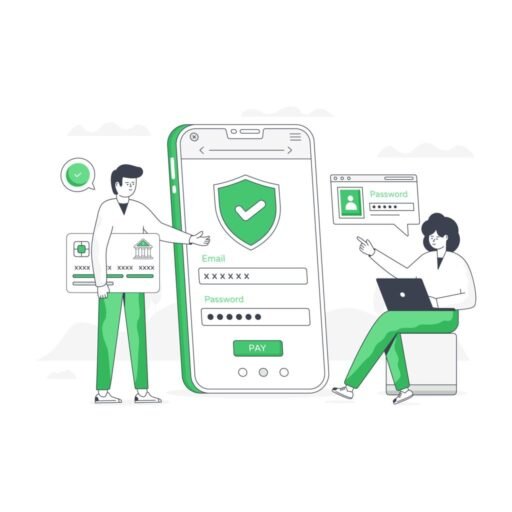
Your apps contain some of your most sensitive information. However, many people focus only on protecting their phones and forget that individual apps also need strong security. That’s why learning how to secure your apps with extra protection is one of the smartest ways to improve your online security in 2026.
In fact, banking apps, email accounts, social media platforms, and cloud storage apps can all become targets for hackers. If attackers gain access to one important app, they may be able to steal private information, reset passwords, and compromise multiple accounts.
Therefore, this guide will show you how to secure your apps using stronger passwords, two-factor authentication, app permissions, and other practical security steps.
Why You Need to Secure Your Apps
First of all, apps often store far more personal information than most people realize.
- Email accounts and messages
- Banking information
- Private photos and files
- Passwords and recovery options
- Social media accounts
As a result, securing each important app individually is essential.
According to Google Safety Center, enabling advanced security settings significantly reduces the risk of unauthorized access.
Use Strong and Unique Passwords to Secure Your Apps
Next, create strong passwords for every important application. Avoid using the same password across multiple services.
- Use at least 12 characters
- Mix letters, numbers, and symbols
- Avoid personal information
- Use a password manager if needed
Enable Two-Factor Authentication to Secure Your Apps
In addition, two-factor authentication adds another layer of protection.
Even if someone steals your password, they still need a second verification step.
Learn more here: Two-Factor Authentication.
Protect Your Gmail Account
Importantly, your email app is one of the most important applications to secure.
If hackers access your Gmail account, they may reset passwords for many other services.
Read more here: Protect Your Gmail Account From Hackers.
Review App Permissions to Secure Your Apps
At the same time, many apps request permissions they do not really need.
- Camera access
- Microphone access
- Location tracking
- Contacts access
- File access
Only allow permissions that are necessary for the app to function properly.
Keep Your Apps Updated
Another important step is installing updates regularly.
Updates often include security patches that fix vulnerabilities.
Protect Your Phone From Hackers
Because apps run on your device, phone security is also essential.
Read this guide: Protect Your Phone From Hackers.
Remove Malware From Your Phone
Malicious software can compromise apps and accounts.
If you suspect malware, read: Remove Malware From Your Phone.
Use Official App Stores Only
Similarly, download apps only from trusted sources such as Google Play and the Apple App Store.
Avoid APK files and unknown websites whenever possible.
Monitor Login Activity
Many apps allow you to review account activity.
Check for:
- Unknown devices
- Suspicious locations
- Unexpected login times
If you notice unusual activity, read: Accessed Your Account.
Secure Your Social Media Apps
Social media apps are common hacking targets.
Learn how to improve security here: Secure Social Media Accounts.
Avoid Unsafe Public WiFi
Public WiFi networks can expose app data.
Read more here:
Enable App Lock Features
Some apps provide additional locks using fingerprints, PINs, or Face ID.
This creates another layer of protection on your device.
Back Up Important Data
Regular backups help protect your information.
If an account is compromised, backups make recovery easier.
Common Mistakes When You Secure Your Apps
- Reusing passwords
- Ignoring updates
- Granting excessive permissions
- Using unsafe WiFi
- Skipping two-factor authentication
30-Day Plan to Secure Your Apps
Week 1: Start by updating your apps and reviewing their permissions carefully.
Next, Week 2: Change your passwords and enable two-factor authentication for your most important accounts.
Then, Week 3: Review login activity and remove apps you no longer use.
Finally, Week 4: Build safer habits and maintain your security settings regularly.
Final Thoughts on How to Secure Your Apps
In conclusion, learning how to secure your apps with extra protection is one of the best ways to protect your privacy, accounts, and personal information.
In the end, strong passwords, two-factor authentication, app permissions, and safer habits can dramatically improve your online security.
So, start today and make every important app significantly more secure.