
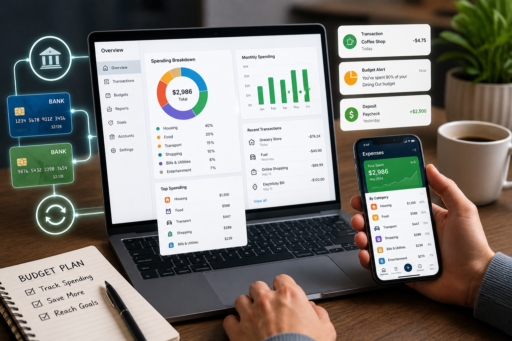
If you want to track spending automatically, you are taking one of the smartest steps toward better money management. Many people struggle to record every purchase manually; however, modern tools and systems make it much easier to monitor expenses with minimal effort.
Automatic expense tracking helps you understand where your money goes, identify unnecessary spending, and make faster financial decisions. As a result, budgeting becomes more accurate and much less stressful.
In this comprehensive guide, you will learn how to track spending automatically, choose the best tools, and build a system that keeps your finances organized in 2026 and beyond.
To strengthen your financial foundation, you may also want to read How to Build a Money Routine That Sticks (2026 Guide), How to Recover Financially After Job Loss (2026 Guide), How to Avoid Lifestyle Inflation as Income Grows (2026 Guide), and How to Prepare for Unexpected Expenses (2026 Guide).
Why Automatic Tracking Matters
When your spending is monitored automatically, you gain clearer insights without relying on memory or manual entry.
According to the Consumer Financial Protection Bureau, tracking expenses is one of the most effective ways to improve budgeting and financial awareness.
How Automatic Spending Tracking Works
- Bank account syncing
- Credit card imports
- Automatic categorization
- Real-time alerts
- Monthly summaries
Step 1: Choose a Tracking Tool
Select a budgeting app, spreadsheet, or bank dashboard that fits your needs.
Step 2: Connect Financial Accounts
Link checking, savings, and credit card accounts.
Step 3: Review Categories
Adjust automatically assigned categories for greater accuracy.
Step 4: Set Spending Limits
Create alerts for categories that matter most.
Step 5: Review Weekly
Short reviews help you stay informed and proactive.
Step 6: Identify Trends
Patterns reveal opportunities to save money.
Step 7: Automate Reports
Monthly summaries simplify decision-making.
Step 8: Protect Account Security
Use strong passwords and secure connections.
Step 9: Adjust Your Budget
Use real data to refine your spending plan.
Step 10: Stay Consistent
Automation works best when paired with regular reviews.
Benefits of Automatic Spending Tracking
- Saves time
- Improves awareness
- Reduces errors
- Supports budgeting
- Encourages better decisions
How Families Benefit
Shared visibility can improve communication and accountability.
How to Track Spending Automatically with Irregular Income
If your income changes from month to month, you can still track spending automatically by focusing on expense categories and monitoring cash flow closely.
How to Use Alerts and Notifications
Custom alerts can notify you when spending exceeds your target or when unusual transactions occur.
Common Mistakes to Avoid
- Ignoring category errors
- Failing to review reports
- Connecting too many accounts at once
- Not updating spending limits
- Overcomplicating the system
Sample Spending Categories
| Category | Monthly Limit |
|---|---|
| Housing | $1,500 |
| Groceries | $500 |
| Transportation | $300 |
| Dining Out | $150 |
| Entertainment | $100 |
How Technology Supports Better Decisions
Budgeting apps and automated summaries make it easier to identify trends and control spending.
Protecting Your Financial Information
When connecting financial accounts, prioritize strong passwords and secure authentication.
For additional protection, read:
- Protect Your Online Payments From Fraud (2026 Guide)
- Manage Passwords Securely Without Forgetting Them (2026)
- Secure Your Files on Cloud Storage (Google Drive & More) 2026
30-Day Spending Tracking Challenge
- Choose a tracking tool.
- Connect your accounts.
- Review categories.
- Set alerts.
- Check weekly reports.
- Adjust your budget.
- Track your progress monthly.
Frequently Asked Questions
How can I track spending automatically?
Use budgeting apps or bank tools that sync accounts and categorize transactions.
Is automatic tracking secure?
Many reputable tools use encryption and multi-factor authentication, but strong personal security practices are still important.
How often should I review my spending?
A weekly review is often sufficient for most people.
Do I still need a budget?
Yes. Tracking provides data, while a budget gives that data direction.
What is the biggest advantage?
Automatic tracking saves time and improves financial awareness.
Final Thoughts
Learning how to track spending automatically can simplify budgeting and give you greater control over your finances.
By using the right tools, reviewing reports regularly, and acting on the insights you gain, you can make smarter financial decisions with far less effort.
Automation does not replace discipline; rather, it makes discipline easier to maintain.
Start with one simple tool today and refine your system over time.
In the end, consistent tracking can help you build stronger money habits and achieve greater financial stability in 2026 and beyond.