
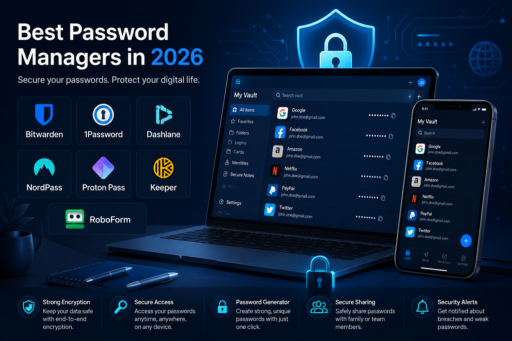
Managing passwords has become one of the most important parts of staying safe online in 2026. Most people now use dozens of accounts across email, banking, shopping, social media, work tools, streaming platforms, and cloud storage. This is exactly why the best password manager apps are becoming essential for protecting personal information and improving online security. Unfortunately, many users still reuse simple passwords, save logins inside browsers only, or depend on memory to protect sensitive accounts.
This is exactly why the best password manager apps have become essential digital security tools. A good password manager can create strong passwords, store them safely, autofill login details, warn you about weak or reused passwords, and help protect your online identity from data breaches and phishing attacks.
However, not every password manager is the right choice for every user. Some apps are better for beginners, some are better for families, some are better for businesses, and others are ideal for privacy-focused users who want open-source security or advanced encryption.
In this guide, we compare the best password manager apps in 2026, explain their key features, pros and cons, and help you choose the right option based on your needs.
Why You Need a Password Manager in 2026
Online accounts are more valuable than ever. A single stolen password can expose your email, payment information, social media profiles, business tools, or personal files. Even worse, if you reuse the same password on multiple websites, one leaked password can create a chain reaction across many accounts.
A password manager solves this problem by helping you use strong, unique passwords for every account without needing to remember them all. Instead, you only remember one master password, while the app securely stores and manages the rest.
Additionally, many password manager apps now support passkeys, secure sharing, two-factor authentication, breach alerts, encrypted notes, payment card storage, and family vaults. As a result, they are no longer just simple password storage tools. They are complete personal security platforms.
What Makes a Good Password Manager?
Before comparing specific apps, it is important to understand what makes a password manager worth using. The best password manager apps usually include a strong mix of security, usability, device support, and extra protection features.
Strong Encryption
A good password manager should protect your vault with strong encryption. This means your stored passwords are scrambled in a way that makes them unreadable without your master password.
Zero-Knowledge Security
Many trusted password managers use a zero-knowledge model. This means the company cannot see your master password or read the contents of your vault.
Cross-Platform Support
The best apps work across Windows, Mac, iPhone, Android, browsers, and tablets. This matters because most people log in from multiple devices every day.
Autofill and Password Generator
Autofill saves time, while a password generator helps create long, random, and unique passwords for every account.
Security Alerts
Modern password managers can warn you about weak passwords, reused passwords, exposed credentials, or leaked accounts.
Secure Sharing
Families, couples, and teams often need to share passwords safely. A good password manager allows secure sharing without sending passwords through messages or email.
Best Password Manager Apps Compared
Below are some of the strongest password manager apps to consider in 2026. Each one has different strengths, so the best choice depends on your budget, privacy needs, device ecosystem, and technical comfort level.
1. Bitwarden
Bitwarden is one of the most popular password manager apps for users who want strong security, open-source transparency, and excellent value. It is widely respected because its free plan is powerful enough for many individuals, while its paid plans remain affordable compared with many competitors.
One of Bitwarden’s biggest advantages is that it is open source. This means its code can be reviewed by the security community, which adds an extra layer of transparency and trust. Bitwarden also supports secure password storage, password generation, passkeys, encrypted notes, and cross-device syncing.
For users looking for strong security and reliable password protection, Bitwarden remains one of the best password manager apps available in 2026.
Best For
Users who want a powerful free password manager with open-source security and strong cross-platform support.
Key Features
- Open-source password management
- Free plan with strong core features
- Cross-platform apps and browser extensions
- Password generator
- Passkey support
- Secure sharing options
- Two-step login support
Pros
- Excellent free plan
- Open-source transparency
- Affordable premium plans
- Works on many devices and browsers
- Good choice for privacy-conscious users
Cons
- The interface may feel less polished than premium competitors
- Some advanced features require setup knowledge
- Family sharing is better on paid plans
2. 1Password
1Password is one of the best password manager apps for families, professionals, and users who want a polished experience. It offers a clean interface, strong security features, and excellent support for storing passwords, passkeys, secure notes, payment cards, documents, and personal information.
One of its strongest features is Watchtower, which helps alert users about weak passwords, reused passwords, and security issues. 1Password is also known for its family plans, making it easier to share selected passwords securely with trusted people.
Best For
Families, professionals, and users who want a premium password manager with a clean interface and strong security tools.
Key Features
- Secure password vault
- Password and passkey support
- Watchtower security alerts
- Family sharing plans
- Travel Mode
- Browser extensions
- Biometric unlock support
Pros
- Excellent user experience
- Strong family sharing features
- Great security alerts
- Reliable browser extensions
- Good for non-technical users
Cons
- No full-featured free plan
- More expensive than Bitwarden
- May be more than basic users need
3. Dashlane
Dashlane is a premium password manager that focuses on security, convenience, and extra protection features. It is especially useful for users who want more than a basic password vault. Dashlane can store passwords, generate strong credentials, autofill forms, monitor password health, and provide alerts when sensitive information may be at risk.
Dashlane is also known for offering additional security features in some plans, such as dark web monitoring and privacy tools. This makes it attractive for users who want a more complete personal security package.
Best For
Users who want a premium password manager with strong security alerts, polished design, and extra privacy features.
Key Features
- Password storage and autofill
- Password health reports
- Dark web monitoring
- Passkey support
- Secure notes
- Payment information storage
- Phishing protection features
Pros
- Modern and easy-to-use interface
- Strong security monitoring
- Useful for users who want extra protection
- Good autofill experience
Cons
- Premium plans can be expensive
- Free plan may be limited compared with Bitwarden
- Some features may not be necessary for casual users
4. NordPass
NordPass is a modern password manager created by the team behind NordVPN. It has grown quickly because of its clean interface, simple setup, and strong focus on security. NordPass is a good option for users who want a balance between ease of use and modern security features.
The app supports password storage, autofill, password generation, secure sharing, data breach scanning, and passkey management. It is also designed to feel simple, which makes it suitable for beginners who do not want a complicated password manager.
Best For
Beginners and everyday users who want a modern, simple, and secure password manager.
Key Features
- Password vault
- Password generator
- Data breach scanner
- Secure item sharing
- Passkey support
- Cross-platform apps
- Browser extensions
Pros
- Clean and beginner-friendly design
- Good security features
- Works well across devices
- Strong choice for users already using Nord products
Cons
- Some features require paid plans
- Less open-source transparency than Bitwarden
- May not be the cheapest option long term
5. Proton Pass
Proton Pass is a strong option for privacy-focused users. It comes from Proton, the company behind Proton Mail and Proton VPN. Because Proton is already known for privacy-focused products, Proton Pass is especially attractive for users who care about data protection, encrypted services, and reducing tracking.
Proton Pass includes password storage, aliases, passkey support, secure sharing, and integration with the wider Proton ecosystem. For users who already use Proton Mail, this password manager can fit naturally into their privacy setup.
Best For
Privacy-focused users and anyone already using Proton services.
Key Features
- Password vault
- Email alias support
- Passkey support
- Secure sharing
- Cross-device syncing
- Proton ecosystem integration
- Privacy-focused design
Pros
- Strong privacy reputation
- Good option for Proton users
- Email alias features are useful
- Clean and simple interface
Cons
- Still newer than some competitors
- Advanced users may prefer Bitwarden or 1Password
- Best value may come when combined with Proton plans
6. Keeper
Keeper is a strong password manager for users, families, and businesses that need secure storage and advanced sharing. It is especially popular among teams because it offers business-focused features, administrative controls, secure file storage, and detailed security reporting.
For individuals, Keeper provides a reliable password vault with autofill, password generation, breach monitoring options, and secure sharing. However, its strongest value may appear for users who need more than basic password storage.
Best For
Businesses, teams, and users who need secure sharing and advanced password management controls.
Key Features
- Password vault
- Secure sharing
- Business management tools
- Encrypted file storage options
- Breach monitoring options
- Cross-platform support
- Administrative controls for teams
Pros
- Strong for businesses and teams
- Good secure sharing features
- Reliable security tools
- Scales well for organizations
Cons
- Can feel more business-focused than personal
- Some useful features cost extra
- May be more complex for casual users
7. RoboForm
RoboForm has been around for many years and remains a solid choice for users who value strong form filling and simple password management. While some newer apps may feel more modern, RoboForm is still useful for people who frequently fill online forms, payment details, addresses, and login pages.
It offers password storage, autofill, password generation, secure sharing, and multi-device syncing on paid plans. It may not look as sleek as some competitors, but it remains practical and reliable.
Best For
Users who want strong autofill and form-filling features.
Key Features
- Password storage
- Advanced form filling
- Password generator
- Secure sharing
- Emergency access
- Browser extensions
- Multi-platform support
Pros
- Excellent form filling
- Reliable password storage
- Useful for everyday browsing
- Long history in password management
Cons
- Interface may feel older
- Not as privacy-focused as Proton Pass
- Not as open-source as Bitwarden
Password Manager Comparison Table
| Password Manager | Best For | Main Strength | Free Plan |
|---|---|---|---|
| Bitwarden | Free and open-source users | Transparency and value | Yes |
| 1Password | Families and professionals | Polished experience | No full free plan |
| Dashlane | Premium security users | Security monitoring | Limited |
| NordPass | Beginners | Simple modern design | Yes, limited |
| Proton Pass | Privacy-focused users | Privacy ecosystem | Yes |
| Keeper | Teams and businesses | Secure sharing and controls | Limited or trial-based |
| RoboForm | Form filling | Autofill convenience | Yes, limited |
Best Free Password Manager App
For most users, Bitwarden is one of the best free password manager apps in 2026. It offers strong basic features, wide device support, and open-source transparency. If your main goal is to stop reusing passwords without paying immediately, Bitwarden is a strong starting point.
Proton Pass is also a strong free option, especially for users who value privacy and already use Proton Mail. However, Bitwarden remains one of the most balanced choices for people who want flexibility and long-term value.
Best Password Manager for Families
1Password is one of the best choices for families because it makes password sharing easier and safer. Instead of sending passwords through text messages or emails, family members can share selected logins through secure vaults.
This is useful for streaming accounts, household bills, shared subscriptions, travel accounts, emergency information, and important documents. Additionally, its clean design makes it easier for less technical family members to use.
Best Password Manager for Privacy
Proton Pass and Bitwarden are both strong choices for privacy-focused users. Proton Pass is ideal for users who want privacy-first services and email alias features, while Bitwarden is attractive because of its open-source model and transparent security approach.
If privacy is your top priority, avoid choosing a password manager only because it looks convenient. Instead, review its encryption model, company reputation, privacy policy, and independent security history.
Best Password Manager for Business
Keeper, 1Password, Dashlane, and Bitwarden all offer business-focused password management tools. The right choice depends on the size of the company, security requirements, administrative needs, and budget.
Businesses usually need more than personal password storage. They often require employee access controls, secure sharing, audit logs, policy management, and onboarding or offboarding tools. Therefore, companies should choose a password manager that can grow with their team.
Are Browser Password Managers Enough?
Many users ask whether built-in browser password managers are enough. Browsers like Chrome, Safari, Firefox, and Edge can save passwords and autofill login forms. For basic users, this is better than writing passwords down or reusing the same password everywhere.
However, dedicated password manager apps usually offer more complete security features. They often provide stronger vault organization, secure sharing, cross-browser support, encrypted notes, advanced alerts, and better flexibility across different devices and platforms.
In short, browser password managers are convenient, but dedicated password managers are usually better for serious online security.
Important Password Manager Safety Tips
Using a password manager is a smart decision, but it is still important to use it correctly. A password manager cannot protect you fully if your master password is weak or if you ignore security warnings.
Use a Strong Master Password
Your master password protects your entire vault. Make it long, unique, and difficult to guess. Avoid names, birthdays, simple words, or reused passwords.
Enable Two-Factor Authentication
Two-factor authentication adds another layer of protection. Even if someone gets your master password, they still need the second verification method.
Update Weak and Reused Passwords
After importing your passwords, review security reports and replace weak or reused passwords with unique generated passwords.
Be Careful With Phishing
Password managers can help reduce phishing risk, but you should still check website addresses carefully before logging in.
Keep Recovery Information Safe
Some password managers provide recovery codes or emergency kits. Store them in a safe place because losing access to your vault can create serious problems.
How to Choose the Right Password Manager App
The best password manager app depends on your personal situation. Instead of choosing only based on popularity, think about how you actually use the internet.
Bitwarden is ideal for users who want strong value, open-source transparency, and a powerful free plan.
1Password is a great choice for users looking for a polished premium experience, excellent family sharing, and user-friendly security alerts.
Dashlane works well for people who want premium protection features, security monitoring, and a modern interface.
NordPass is perfect for beginners who want a simple password manager that is easy to set up and use.
Proton Pass is recommended for privacy-focused users and anyone already using Proton services.
Keeper is best suited for advanced sharing, business controls, and team password management.
RoboForm is a strong option for users who prioritize autofill and online form filling.
Related Security and Productivity Articles
If you want to improve your online security even further, you may also enjoy reading these related guides. Password managers work best when combined with safer browsing habits, better privacy tools, and stronger account protection strategies.
- Best Calendar Apps to Organize Your Life in 2026
- Best Note-Taking Apps for Productivity
- How to Protect Yourself From Tech Support Scams
- Best Private Search Engines in 2026
Using secure passwords is only one part of protecting your digital life. However, when combined with smart privacy habits and trusted security tools, it can greatly reduce your risk online.
Final Thoughts
The best password manager apps in 2026 make it easier to protect your accounts without trying to remember dozens of complex passwords. Whether you are a student, freelancer, business owner, parent, or everyday internet user, a reliable password manager can save time and improve security.
For most users, Bitwarden is an excellent free choice, 1Password is great for families and premium users, Dashlane offers strong security monitoring, NordPass is beginner-friendly, Proton Pass is ideal for privacy-focused users, Keeper is strong for business use, and RoboForm remains useful for autofill-heavy workflows.
Ultimately, the most important step is to stop reusing weak passwords. Choose a password manager you trust, create a strong master password, enable two-factor authentication, and start replacing old passwords with unique generated ones. Over time, this simple habit can make your entire digital life safer and easier to manage.