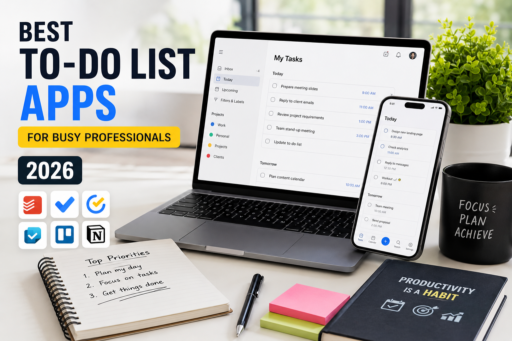
Managing daily tasks has become increasingly difficult in 2026. Between work meetings, deadlines, emails, side projects, personal responsibilities, and constant notifications, many professionals struggle to stay organized and productive. This is exactly why the best to-do list apps have become essential productivity tools for busy professionals who want better organization and time management. Unfortunately, relying on memory alone often leads to missed tasks, poor time management, stress, and lower efficiency.
Fortunately, the best to-do list apps can help busy professionals organize tasks, prioritize projects, manage deadlines, and improve daily productivity. Modern task management apps now offer far more than simple checklists. Many include reminders, collaboration tools, calendar integration, productivity tracking, AI assistance, and cross-device synchronization.
Whether you work remotely, manage a business, freelance online, or simply want a more organized daily routine, choosing the right productivity app can dramatically improve your workflow and reduce mental overload.
In this guide, we compare the best to-do list apps for busy professionals in 2026, including their features, strengths, weaknesses, and ideal use cases.
Why To-Do List Apps Matter More Than Ever
Modern work environments move quickly, and professionals now manage more digital tasks than ever before. Without proper organization systems, important responsibilities can easily become overwhelming.
The best to-do list apps help users:
- Track important tasks and deadlines
- Improve daily organization
- Reduce stress and mental overload
- Increase productivity and focus
- Prioritize important work
- Collaborate with teams more efficiently
- Build better routines and habits
- Avoid forgetting critical responsibilities
Instead of keeping everything inside your head, task management apps create a reliable external system that improves both productivity and peace of mind.
What Makes a Great To-Do List App?
Not every task management app works the same way. Some apps focus on simplicity, while others provide advanced productivity systems for professionals and teams.
The best to-do list apps in 2026 usually include:
- Cross-device synchronization
- Task reminders and notifications
- Calendar integration
- Priority management
- Collaboration features
- Recurring tasks
- Project organization tools
- Clean and simple interface
- Offline support
- Productivity tracking tools
The right app depends on your workflow, work style, and personal productivity preferences.
1. Todoist
Todoist remains one of the most popular productivity apps for professionals because it combines simplicity with powerful task management tools. The clean design makes it easy to organize projects, deadlines, priorities, and recurring tasks without feeling overwhelmed.
Additionally, Todoist works across almost every major platform, including Windows, Mac, Android, iPhone, browsers, and smart devices.
For professionals looking for a reliable productivity system, Todoist remains one of the best to-do list apps available in 2026.
Key Features
- Project organization
- Recurring tasks
- Natural language task creation
- Priority levels
- Cross-platform syncing
- Productivity tracking
- Team collaboration
Best For
Busy professionals, freelancers, students, and productivity-focused users.
Advantages
- Simple and clean interface
- Powerful task management tools
- Excellent cross-device support
- Easy to learn
Disadvantages
- Some advanced features require premium plans
- Limited project visualization compared to Trello
2. Microsoft To Do
Microsoft To Do is an excellent choice for users already working inside the Microsoft ecosystem. It integrates naturally with Outlook, Microsoft 365, and other Microsoft productivity tools.
The app focuses on simplicity while still offering enough functionality for daily professional organization.
Key Features
- Outlook integration
- Task reminders
- Daily planning suggestions
- Cross-device syncing
- Shared lists
- Subtasks and notes
Best For
Office workers, Microsoft users, and professionals who want a simple productivity solution.
Advantages
- Free to use
- Simple interface
- Strong Microsoft integration
- Reliable syncing
Disadvantages
- Limited advanced project management features
- Less customizable than some competitors
3. TickTick
TickTick has become one of the strongest all-in-one productivity apps available today. It combines task management, calendar views, reminders, habit tracking, focus timers, and scheduling tools into one platform.
For many professionals, TickTick offers an excellent balance between simplicity and advanced functionality.
Key Features
- Task management
- Calendar integration
- Pomodoro timer
- Habit tracking
- Recurring tasks
- Smart reminders
- Cross-platform support
Best For
Productivity enthusiasts and users who want multiple productivity tools in one app.
Advantages
- Excellent feature balance
- Built-in productivity tools
- Good free plan
- Clean design
Disadvantages
- Some advanced features require premium plans
- Can feel overwhelming for minimalists
4. Any.do
Any.do focuses heavily on simplicity and daily planning. Its clean design makes task management feel approachable rather than complicated.
The app combines tasks, reminders, lists, and calendar scheduling into one organized system.
Key Features
- Daily planner
- Calendar integration
- Task reminders
- Voice task entry
- Shared lists
- Cross-device syncing
Best For
Professionals who prefer simple and lightweight productivity apps.
Advantages
- Easy to use
- Modern interface
- Strong reminder system
- Good for personal organization
Disadvantages
- Less powerful for large projects
- Limited advanced workflow customization
5. Trello
Trello approaches productivity differently by using boards, lists, and cards instead of traditional task lists. This visual workflow system works extremely well for project organization and collaboration.
Many teams, freelancers, and content creators prefer Trello because it makes project progress easy to visualize.
Key Features
- Kanban boards
- Task cards
- Collaboration tools
- Project tracking
- Automation features
- Calendar power-ups
Best For
Visual thinkers, creative teams, and project-focused workflows.
Advantages
- Excellent project visualization
- Strong collaboration features
- Flexible organization system
- Easy drag-and-drop management
Disadvantages
- Can become cluttered with large projects
- Less ideal for simple personal task lists
6. Notion
Notion is much more than a simple to-do list app. It combines note-taking, project management, databases, collaboration, calendars, and task management into one highly customizable workspace.
For advanced productivity users, Notion can become a complete organizational system.
Key Features
- Custom productivity systems
- Databases and templates
- Task management
- Calendar views
- Team collaboration
- Content organization
Best For
Advanced users, teams, creators, and professionals who want maximum flexibility.
Advantages
- Extremely customizable
- All-in-one productivity system
- Excellent collaboration features
- Strong organization capabilities
Disadvantages
- Steeper learning curve
- May feel overwhelming for beginners
How To-Do List Apps Improve Productivity
Using the best to-do list apps correctly can dramatically improve work performance and daily organization.
Task Prioritization
Professionals often waste time working on low-priority tasks first. Productivity apps help organize work based on importance and deadlines.
Reduced Mental Overload
Keeping tasks inside your mind creates unnecessary stress. Writing tasks down inside a reliable system frees mental energy for deeper work.
Improved Focus
Clear task lists reduce distractions and improve concentration.
Better Collaboration
Shared task systems improve communication between teams, freelancers, and clients.
More Consistent Routines
Recurring tasks and reminders help users maintain productive habits and routines over time.
Best To-Do List App for Busy Professionals
For most busy professionals, Todoist offers one of the best overall experiences because it balances simplicity, flexibility, and productivity features extremely well.
However, the best choice depends on personal workflow preferences:
- Choose Todoist for balanced productivity and simplicity
- Choose Microsoft To Do for Microsoft ecosystem integration
- Choose TickTick for all-in-one productivity tools
- Choose Any.do for simplicity and daily planning
- Choose Trello for visual project management
- Choose Notion for advanced productivity systems
Free vs Paid Productivity Apps
Many professionals wonder whether premium productivity subscriptions are worth paying for.
Free Plans
Most free plans provide enough features for basic personal productivity and task management.
Premium Plans
Paid plans often include:
- Advanced reminders
- Team collaboration
- AI features
- Custom workflows
- Calendar integrations
- Productivity analytics
- Automation tools
For professionals managing large workloads or teams, premium productivity features can save significant time.
Tips for Staying Productive With To-Do List Apps
Keep Tasks Realistic
Overloading daily task lists creates frustration and burnout.
Use Priorities
Focus on important tasks first rather than small easy tasks.
Review Tasks Daily
Daily planning sessions improve consistency and organization.
Break Large Projects Into Smaller Steps
Smaller tasks reduce procrastination and make progress easier.
Use Reminders Wisely
Too many notifications can become distracting instead of helpful.
Related Productivity Articles
If you want to improve your productivity even further, you may also enjoy reading some of our other guides about organization, scheduling, and digital productivity tools.
- Best Calendar Apps to Organize Your Life in 2026
- Best Password Manager Apps Compared in 2026
- Best Note-Taking Apps for Productivity
- Best Expense Tracker Apps in 2026
Using the right combination of productivity apps can help professionals stay focused, reduce stress, and manage workloads far more efficiently throughout 2026.
Final Thoughts
The best to-do list apps for busy professionals in 2026 can dramatically improve organization, productivity, and time management. Instead of relying on memory or scattered notes, modern productivity tools help users manage tasks more effectively across work and personal life.
Whether you choose Todoist, Microsoft To Do, TickTick, Any.do, Trello, or Notion, the right productivity system can help reduce stress, improve focus, and create better daily routines.
Ultimately, productivity is not about working constantly. It is about organizing tasks intelligently, focusing on what matters most, and building sustainable systems that support long-term success.