
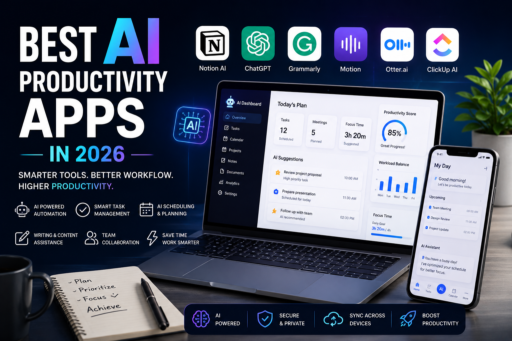
Artificial intelligence is transforming productivity faster than ever in 2026. From managing schedules and organizing tasks to writing content, summarizing meetings, automating workflows, and improving focus, AI productivity apps are helping professionals save time and work more efficiently.
Unfortunately, many people still struggle with overwhelming workloads, constant distractions, missed deadlines, and inefficient routines. Traditional productivity tools can help, but AI-powered apps now offer smarter automation, intelligent recommendations, and time-saving features that dramatically improve daily workflows.
The best AI productivity apps combine artificial intelligence with task management, scheduling, collaboration, note-taking, writing assistance, and automation tools. Whether you are a freelancer, remote worker, entrepreneur, student, or business professional, choosing the right AI productivity apps can help you stay organized and productive while reducing mental overload.
In this guide, we compare the best AI productivity apps in 2026, including their features, strengths, weaknesses, and ideal use cases.
Why AI Productivity Apps Are Growing So Fast
Modern work environments are becoming increasingly digital and demanding. Many professionals now manage emails, meetings, tasks, documents, messages, projects, and deadlines simultaneously.
AI productivity apps help reduce manual work by automating repetitive tasks and improving decision-making.
The best AI productivity apps help users:
- Save time through automation
- Organize tasks and schedules
- Improve focus and efficiency
- Generate and edit content faster
- Summarize meetings and notes
- Reduce mental overload
- Improve team collaboration
- Optimize daily workflows
As AI technology continues improving, these tools are becoming essential for both personal and professional productivity.
What Makes a Great AI Productivity App?
Not all AI tools offer the same experience. Some focus on writing assistance, while others specialize in project management, scheduling, note-taking, or automation.
The best AI productivity apps in 2026 usually include:
- AI-powered automation
- Cross-platform support
- Smart task organization
- Meeting summaries
- Writing assistance
- Calendar integration
- Collaboration tools
- Workflow automation
- Clean and simple interface
- Reliable synchronization
The ideal app depends on your workflow, goals, and productivity style.
1. Notion AI
Notion AI remains one of the most powerful AI productivity tools available today. It combines note-taking, project management, databases, task organization, and AI writing tools inside one flexible workspace.
Users can generate summaries, organize information, create content drafts, brainstorm ideas, manage projects, and automate workflows directly inside Notion.
For users looking for advanced organization and smart AI productivity tools, Notion AI remains one of the best AI productivity apps available in 2026.
Key Features
- AI writing assistance
- Task and project management
- Database organization
- Meeting summaries
- Workflow customization
- Team collaboration
- Knowledge management
Best For
Professionals, creators, startups, and advanced productivity users.
Advantages
- Extremely flexible
- Powerful organization tools
- Excellent collaboration features
- Strong AI integration
Disadvantages
- Can feel overwhelming for beginners
- Learning curve for advanced setups
2. ChatGPT
ChatGPT has become one of the most widely used AI productivity tools for writing, brainstorming, research, coding assistance, summarization, planning, and workflow support.
Professionals use ChatGPT to save time on repetitive tasks, improve communication, generate ideas, and increase productivity across many industries.
Key Features
- AI writing assistance
- Brainstorming support
- Research summaries
- Task planning
- Coding assistance
- Workflow automation ideas
- Multiplatform support
Best For
Writers, marketers, freelancers, developers, students, and remote workers.
Advantages
- Highly versatile
- Saves significant time
- Useful across many industries
- Excellent brainstorming support
Disadvantages
- Requires fact-checking sometimes
- Advanced features may require subscriptions
3. Grammarly
Grammarly has evolved far beyond grammar correction. In 2026, it functions as a complete AI writing assistant that helps professionals improve emails, reports, articles, presentations, and communication.
The platform provides grammar correction, tone adjustments, clarity improvements, and AI writing suggestions.
Key Features
- Grammar correction
- AI writing suggestions
- Tone adjustments
- Clarity improvements
- Email assistance
- Cross-platform integration
Best For
Writers, professionals, students, marketers, and business communication.
Advantages
- Improves writing quality
- Easy to use
- Works across many platforms
- Excellent for professional communication
Disadvantages
- Premium features require payment
- Sometimes over-corrects writing style
4. Motion
Motion is one of the most advanced AI scheduling and productivity tools available today. It automatically organizes tasks, schedules meetings, and adjusts priorities based on deadlines and workload.
Instead of manually planning every hour, Motion uses AI to build optimized schedules automatically.
Key Features
- AI scheduling
- Automatic task prioritization
- Calendar integration
- Meeting organization
- Project planning
- Deadline management
Best For
Busy professionals, executives, entrepreneurs, and remote workers.
Advantages
- Saves scheduling time
- Excellent for busy workloads
- Smart automation features
- Improves time management
Disadvantages
- Premium pricing
- Requires trust in AI scheduling systems
5. Otter.ai
Otter.ai focuses heavily on meeting transcription and note-taking. It automatically records, transcribes, and summarizes conversations, making it useful for meetings, interviews, classes, and remote collaboration.
For professionals attending many meetings every week, Otter.ai can save significant time and improve information organization.
Key Features
- AI meeting transcription
- Automatic summaries
- Voice recognition
- Collaboration tools
- Searchable transcripts
- Cloud synchronization
Best For
Remote teams, students, journalists, and professionals attending frequent meetings.
Advantages
- Saves note-taking time
- Improves meeting organization
- Searchable conversation history
- Strong collaboration support
Disadvantages
- Accuracy may vary in noisy environments
- Premium features require subscriptions
6. ClickUp AI
ClickUp AI combines project management with artificial intelligence tools designed to improve productivity and workflow efficiency.
The platform helps teams organize tasks, automate processes, summarize updates, and improve project coordination.
Key Features
- AI project management
- Task automation
- Workflow organization
- Team collaboration
- Document generation
- Reporting tools
Best For
Teams, startups, agencies, and collaborative projects.
Advantages
- Powerful team management tools
- Strong automation support
- Highly customizable
- Good collaboration features
Disadvantages
- Can feel complex initially
- Learning curve for advanced workflows
How AI Productivity Apps Improve Efficiency
AI productivity tools are changing how professionals manage work and personal organization.
Automation
AI reduces repetitive manual tasks, saving time and mental energy.
Smarter Scheduling
AI scheduling tools optimize calendars and reduce planning stress.
Improved Communication
Writing assistants improve clarity, tone, and professionalism.
Faster Information Processing
AI summaries help users process large amounts of information more efficiently.
Better Organization
AI tools improve project tracking, task prioritization, and workflow management.
Best AI Productivity App for Professionals
For most professionals, Notion AI offers one of the strongest overall productivity systems because it combines organization, AI assistance, collaboration, and workflow flexibility.
However, the best choice depends on personal needs:
- Choose Notion AI for all-in-one productivity systems
- Choose ChatGPT for flexible AI assistance
- Choose Grammarly for writing and communication
- Choose Motion for AI scheduling and planning
- Choose Otter.ai for meetings and transcription
- Choose ClickUp AI for project and team management
Free vs Paid AI Productivity Apps
Many AI productivity apps offer free plans, but premium versions usually unlock advanced AI features.
Free Plans
Free plans work well for casual productivity needs and basic AI assistance.
Premium Plans
Paid plans often include:
- Advanced AI models
- Unlimited AI requests
- Priority processing
- Team collaboration tools
- Automation features
- Enhanced integrations
For professionals and businesses, premium AI tools can significantly improve efficiency and workflow quality.
Tips for Using AI Productivity Apps Effectively
Combine Multiple Tools Carefully
Using too many productivity apps can create confusion instead of efficiency.
Automate Repetitive Tasks
Focus AI automation on tasks that consume unnecessary time.
Review AI Output
AI-generated content should still be reviewed for accuracy and quality.
Protect Sensitive Information
Avoid sharing confidential information unnecessarily inside AI systems.
Build Consistent Workflows
AI tools work best when integrated into regular daily routines.
Related Productivity Articles
If you want to improve your workflow and digital organization even further, you may also enjoy reading some of our related productivity guides.
- Best To-Do List Apps for Busy Professionals in 2026
- Best Calendar Apps to Organize Your Life in 2026
- Best Cloud Storage Apps for Secure Backups in 2026
- Best Note-Taking Apps for Productivity
Combining AI productivity apps with strong organization systems and smart digital habits can significantly improve efficiency and reduce stress throughout 2026.
Final Thoughts
The best AI productivity apps in 2026 are transforming how professionals organize tasks, manage projects, communicate, and optimize workflows. Instead of handling everything manually, AI tools now automate repetitive work and improve efficiency across many industries.
Whether you choose Notion AI, ChatGPT, Grammarly, Motion, Otter.ai, or ClickUp AI, the right productivity tools can help you save time, stay organized, and improve work quality.
Ultimately, AI productivity is not about replacing human effort. It is about using intelligent tools to work smarter, reduce unnecessary stress, and focus more energy on meaningful work and creativity.