
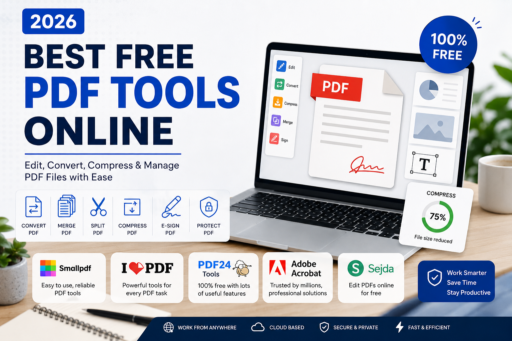
PDF files have become one of the most commonly used document formats in the world. As a result, many people are searching for the Best Free PDF Tools Online to edit, convert, compress, and manage their documents more efficiently. Whether you’re a student submitting assignments, a freelancer sending contracts, a business owner sharing reports, or simply someone managing personal documents, PDF files are everywhere. Their ability to preserve formatting across devices makes them the preferred format for professional communication.
However, working with PDF documents is not always simple. Many users need to merge multiple PDFs, compress large files, convert documents into editable formats, sign contracts electronically, or extract pages from larger documents. Traditionally, these tasks required expensive desktop software. Today, things are much easier.
Modern online PDF tools allow users to perform advanced document management tasks directly from a web browser. Most of these services offer free plans that are powerful enough for everyday use. As internet speeds improve and cloud-based productivity becomes more common, online PDF platforms continue to grow in popularity.
In this guide, you’ll discover the best free PDF tools online in 2026, their strengths, weaknesses, and which platform is best suited for different needs.
Why PDF Files Remain So Popular
The Portable Document Format (PDF) was designed to ensure documents appear the same regardless of operating system, device, or software. Unlike editable file formats that can break formatting when opened elsewhere, PDFs preserve fonts, layouts, images, and overall design.
This consistency explains why PDFs are widely used for resumes, contracts, invoices, manuals, presentations, reports, eBooks, business proposals, legal documents, and government forms.
As remote work and online collaboration continue expanding, PDF usage is expected to increase even further throughout 2026 and beyond.
Benefits of Using Online PDF Tools
Online PDF platforms offer several advantages over traditional desktop software.
- No software installation required
- Access from any device
- Cloud-based convenience
- Automatic updates
- Cross-platform compatibility
- Quick file processing
- Lower costs
- Easy sharing and collaboration
These benefits make online solutions ideal for students, professionals, freelancers, and businesses looking to streamline document management.
Features You Should Look For
Before selecting a PDF platform, consider the features you use most frequently.
PDF Conversion
The ability to convert files between PDF, Word, Excel, PowerPoint, JPG, and other formats is essential for productivity.
You may also be interested in our guide about Best Cloud Storage Apps for Secure Backups, which helps users store and protect important files online.
PDF Compression
Large PDF files can be difficult to email or upload. Compression tools reduce file sizes while maintaining readability.
Merge and Split Functions
Merging multiple documents into a single PDF or extracting specific pages saves significant time.
Electronic Signatures
Digital signatures have become increasingly important for contracts and approvals.
Password Protection
Security features help protect confidential information from unauthorized access.
Cloud Integration
Support for cloud storage platforms simplifies workflow management.
Many users combine PDF tools with productivity software. Check out our guide on Best AI Productivity Apps in 2026.
1. Smallpdf
Smallpdf continues to rank among the most popular PDF platforms worldwide. Its clean design and user-friendly interface make it accessible for beginners while still offering powerful functionality.
The platform supports document conversion, compression, merging, splitting, electronic signatures, password protection, and PDF editing. Most tasks can be completed in only a few clicks.
Advantages
- Simple interface
- Fast processing speeds
- Reliable file conversions
- Strong security standards
- Mobile compatibility
Disadvantages
- Daily limits on free usage
- Premium features require payment
For casual users, students, and freelancers, Smallpdf remains one of the best overall choices available today.
2. ILovePDF
ILovePDF has developed a strong reputation by offering an extensive collection of PDF management tools for free.
Users can merge PDFs, split files, rotate pages, compress documents, convert between formats, add watermarks, unlock PDFs, and perform many other tasks.
The platform’s straightforward design makes it easy to navigate even for users with little technical experience.
Advantages
- Large feature collection
- Fast document processing
- Easy-to-use interface
- Excellent conversion quality
- Strong free plan
Disadvantages
- Advanced features require upgrades
- File limits on the free plan
ILovePDF is especially attractive for users who frequently handle multiple PDF documents.
3. PDF24 Tools
When comparing the Best Free PDF Tools Online, PDF24 Tools continues to attract users thanks to its generous free plan and wide selection of PDF management features.
PDF24 Tools stands out because it offers a remarkably generous collection of features completely free of charge.
Unlike many competitors that heavily restrict free users, PDF24 provides extensive capabilities without forcing frequent upgrades.
Users can compress, edit, merge, split, convert, secure, optimize, and organize PDF files through a browser.
Advantages
- Completely free
- No account required
- Many advanced functions
- Strong privacy protections
Disadvantages
- Interface feels outdated
- Less polished user experience
For users seeking maximum value without spending money, PDF24 Tools is difficult to beat.
4. Adobe Acrobat Online
Adobe invented the PDF format, making Adobe Acrobat Online one of the most trusted platforms available.
The service offers compression, conversion, editing, signing, and document management capabilities directly from a browser.
Businesses often prefer Adobe because of its strong reputation and enterprise-grade security standards.
Adobe Acrobat Online remains one of the most trusted PDF solutions available. Learn more on the official Adobe Acrobat website.
Advantages
- Industry-leading compatibility
- Trusted global brand
- Professional document handling
- Excellent security features
Disadvantages
- Limited free features
- Higher premium costs
For professional environments where reliability is critical, Adobe remains a strong option.
5. Sejda PDF
As one of the Best Free PDF Tools Online available today, Sejda PDF has become increasingly popular because it offers editing capabilities that many free tools lack.
Users can modify existing text, add annotations, create forms, insert signatures, and manage documents efficiently.
The platform balances usability with powerful functionality, making it appealing to both casual and professional users.
Advantages
- Advanced editing options
- Clean interface
- Easy learning curve
- Strong free plan
Disadvantages
- Usage restrictions
- File size limitations
Sejda is particularly useful for users who occasionally need editing features without purchasing expensive software.
Comparing the Best Free PDF Tools Online
With so many PDF platforms available, choosing the right one depends on your specific needs. Some users prioritize simplicity, while others require advanced editing features or professional-grade security.
| Tool | Best For | Free Plan | Editing | Conversion | Compression |
|---|---|---|---|---|---|
| Smallpdf | General Users | Good | Limited | Excellent | Excellent |
| ILovePDF | Productivity | Very Good | Basic | Excellent | Excellent |
| PDF24 Tools | Free Features | Excellent | Good | Very Good | Very Good |
| Adobe Acrobat Online | Professionals | Limited | Good | Excellent | Excellent |
| Sejda PDF | PDF Editing | Good | Excellent | Very Good | Good |
This comparison highlights how each platform serves different audiences. Therefore, the best solution depends largely on your workflow.
Best Free PDF Tool for Students
Students frequently need to combine assignments, convert documents, compress files before uploading them, and organize study materials.
For most students, ILovePDF and PDF24 Tools provide the best combination of functionality and accessibility. Their free plans include nearly everything required for academic work.
Students can easily merge lecture notes, convert Word assignments into PDFs, reduce file sizes for online submissions, and manage documents without spending money.
Best Free PDF Tool for Freelancers
Freelancers regularly exchange contracts, proposals, invoices, and project documents with clients.
Because of this, features such as electronic signatures, editing tools, and document protection become especially important.
Smallpdf and Sejda PDF are often the best choices for freelancers because they offer professional document handling while remaining easy to use.
These tools can help streamline communication with clients while maintaining a professional image.
Best Free PDF Tool for Small Businesses
Small businesses typically handle large volumes of documents every week. Reports, contracts, employee forms, invoices, and presentations all require reliable PDF management.
Adobe Acrobat Online is often the preferred solution because of its strong reputation and enterprise-level reliability.
Meanwhile, PDF24 Tools can be an excellent alternative for businesses looking to reduce software costs while still maintaining productivity.
Best PDF Tool for Occasional Users
Many people only need PDF tools a few times per month.
For occasional use, simplicity matters more than advanced functionality. Users want quick access without creating accounts, installing software, or learning complicated systems.
PDF24 Tools and Smallpdf are excellent choices for these situations because they allow users to complete common tasks within minutes.
How PDF Compression Saves Time and Storage
One of the most useful features offered by modern PDF tools is file compression.
Large PDF documents often create challenges when sharing files through email or cloud storage services. Compressing documents can dramatically reduce file size while preserving readability.
Benefits of PDF compression include:
- Faster uploads
- Faster downloads
- Reduced storage requirements
- Easier email sharing
- Improved collaboration
For businesses and students working with large files, compression tools can save significant time every week.
Why PDF Conversion Is So Valuable
PDF conversion tools have become essential productivity features.
Many users receive documents in PDF format but need to edit them using Microsoft Word, Excel, or PowerPoint. Similarly, users often need to convert editable files into PDFs before sharing them professionally.
Modern conversion engines are much more accurate than they were a few years ago. Today’s tools preserve formatting, images, tables, and layouts more effectively than ever.
This improved accuracy helps users avoid hours of manual corrections.
PDF Security and Privacy Considerations
Security remains one of the most important considerations when using online document services.
Before uploading files to any platform, users should verify that the provider follows strong privacy practices.
For additional online safety tips, read our article How to Protect Your Personal Data Online in 2026.
Look for these security features:
- HTTPS encryption
- Automatic file deletion
- Password-protected documents
- Transparent privacy policies
- Trusted company reputation
When dealing with highly confidential information, users may prefer offline software solutions. However, reputable online PDF services generally provide strong protection for everyday documents.
Cloud Integration Benefits
Many modern PDF platforms integrate directly with popular cloud storage services.
This allows users to open, edit, and save documents without manually downloading and uploading files.
Cloud integration improves workflow efficiency while reducing administrative work.
For remote teams, this feature has become increasingly valuable because documents can be shared and updated from virtually anywhere.
How AI Is Transforming PDF Tools
Artificial intelligence is beginning to play a larger role in document management.
Many PDF platforms are now experimenting with AI-powered features such as:
- Automatic summaries
- Text extraction
- Optical Character Recognition (OCR)
- Content categorization
- Smart document search
- Data extraction from forms
These innovations are helping users process information faster while reducing repetitive manual work.
As AI technology continues advancing, PDF tools will likely become even more intelligent and efficient over the coming years.
Common Mistakes When Using Online PDF Tools
Although PDF platforms are generally easy to use, users sometimes make mistakes that affect productivity.
Common mistakes include:
- Uploading sensitive files to unknown websites
- Ignoring privacy policies
- Using multiple tools unnecessarily
- Failing to compress large documents
- Not protecting confidential PDFs with passwords
- Choosing tools with poor conversion quality
Avoiding these mistakes can improve both security and efficiency.
How to Choose the Right PDF Tool
Choosing the right platform becomes much easier when you identify your primary use case.
For users focused on file conversions and PDF compression, ILovePDF and Smallpdf remain among the most reliable choices available.
Those looking for advanced editing features may find Sejda PDF particularly useful thanks to its powerful document modification capabilities.
When getting the maximum number of free features is the main goal, PDF24 Tools stands out as one of the best value-for-money solutions on the market.
For professional and business environments, Adobe Acrobat Online remains one of the most trusted solutions available.
The Future of PDF Productivity
PDF technology continues evolving as digital workflows become more sophisticated.
Future developments will likely include deeper cloud integration, enhanced AI capabilities, improved collaboration tools, and stronger automation features.
Users will increasingly expect PDF platforms to handle tasks automatically while reducing the time spent managing documents.
As a result, online PDF tools are positioned to become even more important in both personal and professional environments.
Final Thoughts
Finding the best free PDF tools online is easier than ever in 2026. Users now have access to powerful browser-based platforms capable of handling nearly every PDF-related task without requiring expensive software.
For overall versatility, Smallpdf and ILovePDF remain outstanding choices. For users seeking the best free experience, PDF24 Tools offers incredible value. Meanwhile, Sejda PDF provides excellent editing functionality, and Adobe Acrobat Online continues to deliver professional-grade reliability.
By choosing the right PDF platform for your needs, you can save time, improve productivity, simplify document management, and work more efficiently throughout 2026 and beyond.